A few weeks ago, I needed to sign a simple document.
Nothing serious. Just a basic agreement someone sent to me.
I opened the file, looked through it, and then paused.
Because I already knew what was coming next…
- Print it.
- Find a pen.
- Sign it.
- Scan it again.
- Send it back.
And honestly, I didn’t feel like doing all that.
Not because it was difficult — but because it felt unnecessary.
Still, I went ahead.
I connected my printer. Waited for it to warm up. Realized I was low on ink. Adjusted the paper. Printed the document. Signed it. Then used my phone to scan it.
By the time I was done, something that should have taken less than a minute took almost 20 minutes.
That’s when it hit me:
Why am I still doing this in 2026?
If you’ve ever gone through this process, you already know how frustrating it can be.
And the truth is — most people are still doing it the old way, simply because they don’t know there’s a much easier option.
The Real Problem: Outdated Document Signing Habits
Let’s be honest.
Printing documents just to sign them is not just inconvenient — it’s outdated.
Here are some common problems people face:
- You don’t always have access to a printer
- Ink runs out at the worst time
- Scanning apps reduce quality
- Documents get messy or unclear
- It wastes more time than you realize
And if you’re someone who:
- Works online
- Runs a small business
- Deals with contracts or agreements
- Signs documents regularly
Then this becomes a repeated problem.
It’s not just about inconvenience anymore — it affects your productivity.
Why Most People Haven’t Switched Yet
You might be wondering:
If there’s a better way, why isn’t everyone using it?
Simple.
Most people assume digital signing is complicated.
They think:
- They need to create accounts
- Upload documents to unknown platforms
- Learn new software
- Worry about privacy
So they stick to what they know — even if it’s inefficient.
But here’s the truth:
Modern document signing can be simple, fast, and private.
You just need the right approach.
The Simple Solution: Sign Documents Digitally
Instead of printing and scanning, you can now:
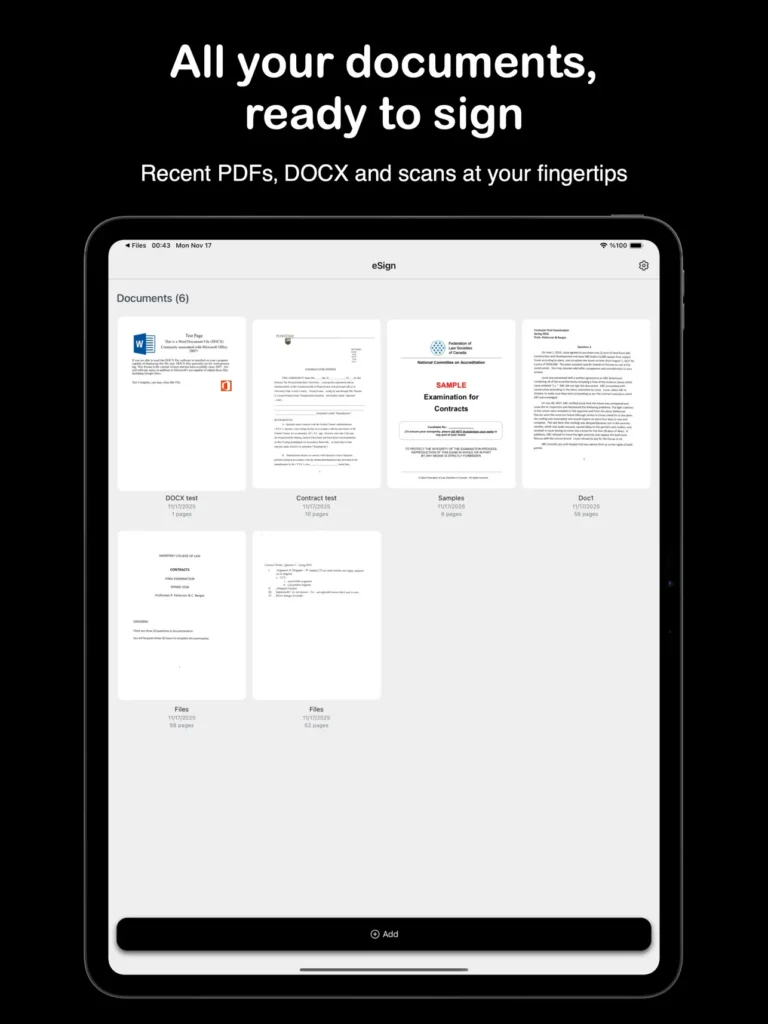
- Open your document
- Add your signature
- Export it
- Send it back
All within seconds.
No printer. No paper. No stress.
Step-by-Step: How to Sign Documents Without Printing
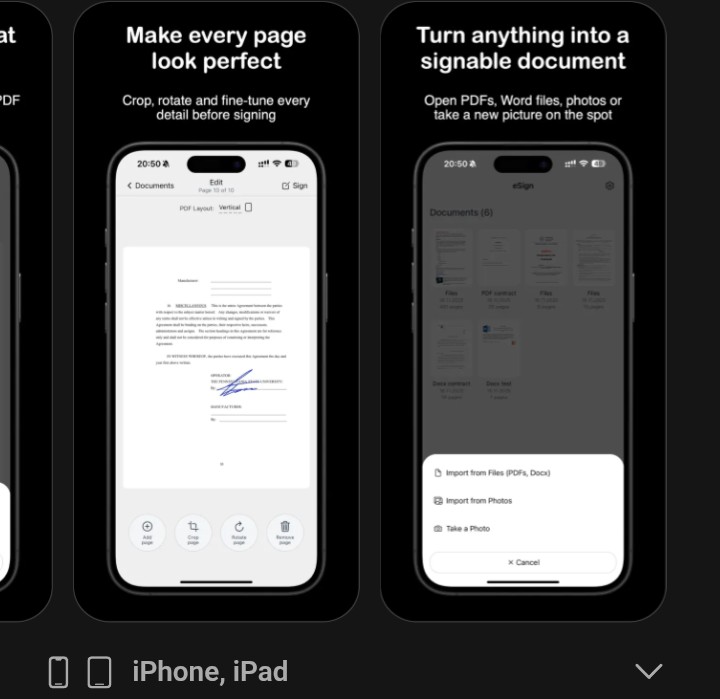
1. Open Your Document
Start by opening the file you received.
This could be:
- DOCX
- Image file
Nothing complicated here.
2. Add Your Signature Digitally
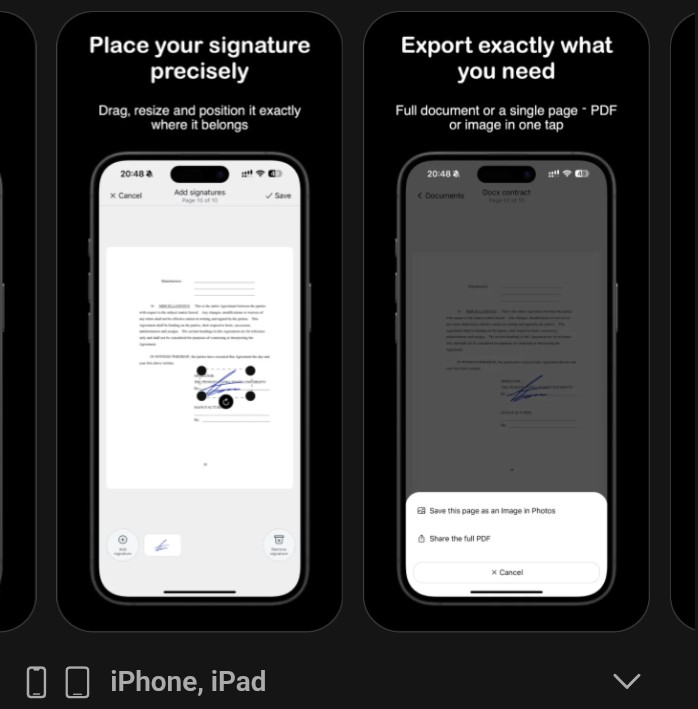
Instead of printing, simply add your signature directly.
You can:
- Draw your signature
- Insert a saved one
- Adjust size and position
This takes just a few seconds.
3. Review and Adjust
Before exporting:
- Check placement
- Make sure it looks clean
- Confirm everything is readable
This replaces the need for scanning and rechecking paper documents.
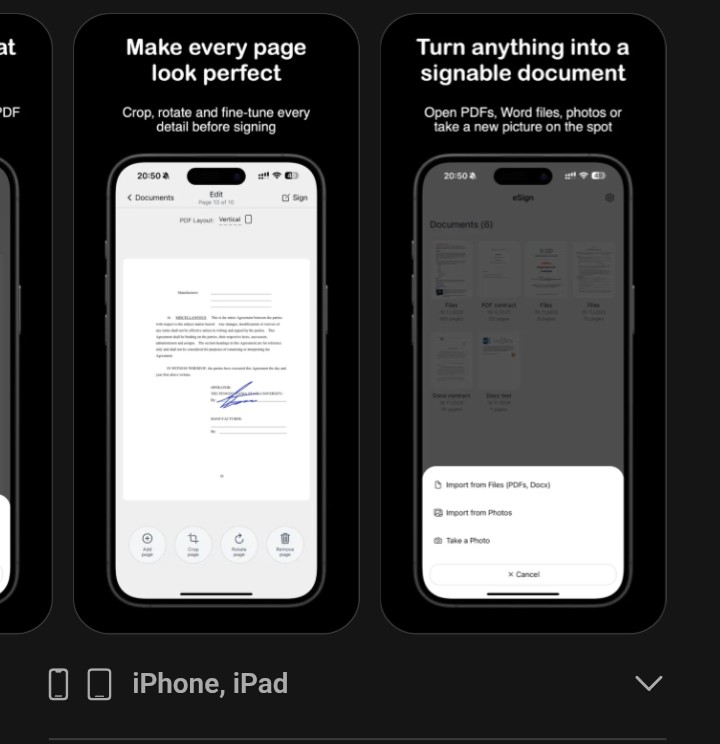
4. Export Your Document
Finally, export your signed document as a clean PDF.
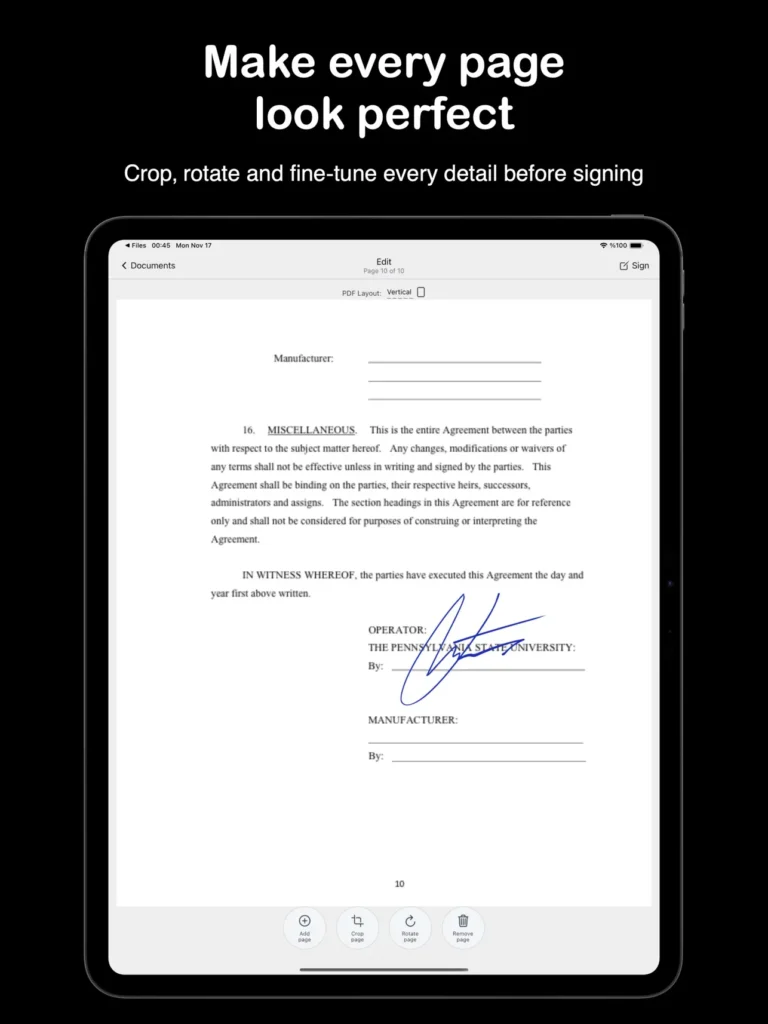
Good tools allow you to:
- Export high-quality files
- Keep everything sharp and professional
- Send instantly
And just like that — you’re done.
Where a Simple Tool Makes Everything Easier
At this point, the process is clear.
But many people still struggle with choosing the right tool.
Some tools:
- Require accounts
- Store your documents online
- Have confusing interfaces
- Feel too complicated
What you need is something simple.
A beginner-friendly eSign tool can help you:
- Sign PDF, DOCX, and image files quickly
- Add your signature directly on your phone or tablet
- Export high-quality 300 DPI PDFs
- Keep everything private on your device
No accounts.
No uploads.
No stress.
If you want to try a simple tool like this, you can check it here: It’s called eSign .
You can also use my link here 👉 eSign.
If it fits your needs, great. If not, the method still works.
Who This Is Perfect For
This approach works especially well for:
- Freelancers signing contracts
- Landlords managing agreements
- Small business owners
- Remote workers
- Students handling forms
Basically, anyone who signs documents regularly.
Pros and Cons (Honest Breakdown)
Pros:
- Saves time (no printing or scanning)
- Easy to use (beginner-friendly)
- Works on phone or tablet
- Keeps documents private
- Produces clean, professional results
Cons:
- Requires a device
- May take time to adjust if you’re used to paper
- Not all tools are equally simple
Helpful Tips Most People Ignore
- Always keep your signature consistent
- Double-check placement before exporting
- Use high-quality export settings
- Organize your signed files properly
- Avoid using too many apps — keep it simple
Conclusion:
You don’t need to keep doing things the old way just because it’s familiar.
Printing documents just to sign them is no longer necessary.
There’s a faster, simpler, and more practical way to handle it.
If using a simple eSign tool helps you make that switch, then it’s worth trying.
If not, at least now you know:
There’s a better way.
Start once — and you’ll probably never go back to printing again.
Give this tool a try today, it helps makes your work easier. Check it out here.